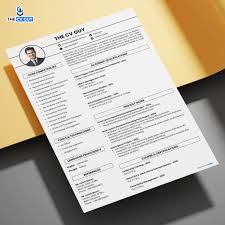
Getting your first job or a new role in Bangladesh can feel a bit tricky, especially when it comes to making your CV shine. Many people wonder how to create CV for job in Bangladesh 2026. It’s common to feel unsure about what employers look for.
But don’t worry, it’s simpler than you think! This guide will walk you through every step, making it easy to build a CV that gets noticed. Let’s get started on making your application stand out.
Key Takeaways
- You will learn the essential sections every CV needs.
- Discover how to highlight your skills and experience effectively.
- Understand the importance of a professional format and design.
- Gain tips on writing a compelling summary or objective.
- Learn how to proofread your CV for errors.
Understanding Your CV’s Purpose
A CV, or Curriculum Vitae, is your personal marketing tool for job applications. It’s the first impression an employer gets of you. Think of it as a way to tell your professional story.
A well-made CV shows your qualifications, skills, and experience. It helps a recruiter decide if you are a good fit for their job opening. In Bangladesh, like everywhere else, a strong CV is key to landing interviews.
For beginners, crafting a CV can seem like a puzzle. You might not have much work history to show. This can make it hard to know what to include.
The goal is to present your potential in the best light. We will explore simple ways to do this. You’ll see how to use your education and any relevant projects.
We’ll also cover soft skills. These are skills like communication and teamwork. They are very important to employers.
What Employers Look For
Employers in Bangladesh often look for candidates who are reliable and eager to learn. They want to see that you can do the job. They also want to know if you will fit into their team.
Your CV should make this clear. It needs to be easy to read. Recruiters often scan CVs quickly.
So, important information should be easy to find.
Key things they check include your education. Did you study the right subjects? What grades did you get?
They also look at any work experience. Even internships or volunteer work count. They check your skills.
Do you know the software needed for the job? Can you speak English well? The overall presentation matters.
A neat, organized CV suggests you are detail-oriented.
The Core Elements of a CV
A standard CV has several key parts. These parts help organize your information. You need your personal details at the top.
This includes your name, phone number, and email. Next comes a summary or objective. This is a short pitch about you.
Then, you list your work experience. After that, you detail your education. Finally, you list your skills.
Each section needs careful thought. The order can sometimes change depending on your situation. For example, if you are a recent graduate, education might come before experience.
The key is to make your CV flow logically. It should tell a clear story of who you are professionally. We will break down how to write each of these sections well.
Crafting Your CV Content Step-by-Step
Let’s get into the details of how to create CV for job in Bangladesh 2026. We will go through each section. This will help you build a strong CV from scratch.
Remember, clarity and relevance are your best friends. Every word should serve a purpose. It should help convince the employer you are the right person.
Personal Information and Contact Details
This is the very first part of your CV. It needs to be accurate and easy to see. Your full name should be prominent.
Use a clear, professional font. Below your name, include your phone number. Make sure it’s a number you check regularly.
Add your professional email address. Avoid casual or old email names. A professional email looks like yourname@email.com.
You might also include your LinkedIn profile URL if it is up to date. Some people add their home address, but it’s not always necessary. Focus on contact methods that allow employers to reach you quickly.
Keep this section brief and clean. No one wants to hunt for your contact details.
The Professional Summary or Objective
This is a short paragraph, usually 2-4 sentences. It appears at the top of your CV. It quickly tells the employer who you are and what you want.
A professional summary is for those with some experience. It highlights your key skills and achievements. An objective statement is better for fresh graduates or those changing careers.
It states your career goals and what you hope to achieve in the role.
For example, a summary might say: “Motivated marketing graduate with a passion for digital campaigns and excellent communication skills. Seeking to leverage academic knowledge and internship experience in a dynamic marketing assistant role at XYZ Company.” An objective could be: “Eager and detail-oriented individual seeking an entry-level administrative position to apply strong organizational abilities and learn new office procedures. Committed to contributing to team success.”
Highlighting Education
Your education is a vital part of your CV, especially if you have limited work experience. List your degrees or certificates in reverse chronological order. Start with your most recent qualification.
Include the name of the institution. State the degree or diploma you earned. Add the years you attended or graduated.
If your grades were good, you can include them. For example, “Bachelor of Business Administration, University of Dhaka, 2024, GPA 3.75.”
If you took relevant courses or completed significant projects during your studies, mention them. This shows your commitment and the specific knowledge you gained. For example, “Relevant Coursework: Marketing Principles, Consumer Behavior, Digital Analytics.” This can be very persuasive for entry-level positions.
Showcasing Work Experience
This section is crucial for demonstrating your practical abilities. List your previous jobs in reverse chronological order. For each job, include the company name, your job title, and the dates of employment.
Underneath each role, use bullet points to describe your responsibilities and achievements. Use action verbs to start each bullet point.
Instead of “Was responsible for customer service,” say “Provided excellent customer service, resolving an average of 20 inquiries daily.” Quantify your achievements whenever possible. For instance, “Increased social media engagement by 15% within three months” is much stronger than “Managed social media accounts.” If you have no formal work experience, include internships, volunteer work, or even significant academic projects.
Internships and Volunteer Work
These experiences are incredibly valuable. They show initiative and a willingness to gain practical skills. Treat them just like paid jobs.
List the organization, your role, and the dates. Use bullet points to describe what you did and what you learned. This demonstrates your ability to work in a professional setting.
For example, a volunteer role at a local charity might have involved organizing events. You could list: “Assisted in planning and executing fundraising events, increasing attendance by 10%.” This shows organizational and event management skills.
Listing Your Skills
This section allows you to quickly show off what you can do. Divide your skills into categories. Common categories include technical skills and soft skills.
Technical skills are abilities related to specific tools or technologies. Examples include proficiency in Microsoft Office Suite, programming languages like Python, or graphic design software like Adobe Photoshop.
Soft skills are personal attributes that enable someone to interact effectively and harmoniously with other people. Examples include communication, teamwork, problem-solving, time management, and leadership. Be honest about your skill level.
You can categorize them as beginner, intermediate, or advanced.
Technical Skills Examples
Technical skills are what you use to perform specific tasks. They are often learned through education or training. For job applications, list the ones most relevant to the position.
If you’re applying for an IT job, list programming languages, operating systems, and relevant software. For a marketing role, it might be SEO tools, CRM software, and social media platforms.
For instance, a job posting might ask for proficiency in Microsoft Excel. If you have strong Excel skills, list it. You could even add a sub-bullet: “Microsoft Excel (Advanced formulas, pivot tables, data visualization).” This shows a deeper understanding.
Soft Skills Examples
Soft skills are often just as important as technical skills, if not more so. Employers want to know you can work well with others and handle challenges. Communication is key – can you express yourself clearly, both in writing and speaking?
Teamwork means you can collaborate effectively with colleagues. Problem-solving shows you can identify issues and find solutions. Time management ensures you can meet deadlines.
When listing soft skills, try to back them up with examples from your experience. For example, if you list “Leadership,” think about a time you led a project or a group. You can mention this briefly in your work experience section.
It makes the skill more believable.
Quantifying Your Achievements
This is a really powerful technique for making your CV stand out. Instead of just listing duties, show what you accomplished. Numbers and data make your contributions concrete.
They provide evidence of your impact. For example, instead of saying “Managed social media,” say “Grew social media followers by 25% in six months.” This shows tangible growth.
Think about sales figures, cost savings, efficiency improvements, or customer satisfaction rates. Even in entry-level roles or volunteer work, you can often find ways to quantify your impact. Did you help serve more people?
Did you complete tasks faster than expected? Did you contribute to a project that saved time or resources?
Formatting and Design for Your CV
How your CV looks is almost as important as what it says. A clean, professional design makes it easy to read. It also creates a positive first impression.
Employers often receive many applications. A well-formatted CV makes yours stand out for the right reasons.
Choosing the Right Font and Layout
Use a standard, professional font. Think of Arial, Calibri, Times New Roman, or Georgia. Stick to one or two fonts at most for consistency.
Use font sizes that are easy to read. Your name can be larger (e.g., 18-24 points). Headings can be 12-14 points.
The main text should be around 10-12 points.
Keep the layout clean. Use white space effectively. This means not crowding too much text onto the page.
Margins should be at least 0.5 to 1 inch on all sides. Use bullet points for lists to break up text. A simple, single-column layout is usually best.
Some modern CVs use two columns, but ensure it’s still easy to scan.
CV Length Guidelines
For most job seekers in Bangladesh, a CV should be one to two pages long. If you are a recent graduate with limited experience, one page is ideal. Aim to fit all essential information clearly and concisely on this single page.
If you have extensive experience (10+ years), two pages might be acceptable.
The key is to be concise. Every word should earn its place. Avoid repetition.
Don’t include information that isn’t relevant to the job you’re applying for. A shorter, impactful CV is often better than a long, rambling one. Recruiters appreciate brevity.
Proofreading and Error Checking
This step is absolutely critical. Typos, grammatical errors, and inconsistencies can make you look careless. They can seriously damage your credibility.
It’s best to read your CV aloud. This helps you catch awkward phrasing and missed words. Ask a friend, family member, or mentor to review it as well.
A fresh pair of eyes can spot mistakes you’ve overlooked.
Check for consistency in formatting. Are all dates formatted the same way? Are all bullet points aligned?
Ensure all names and company details are spelled correctly. A perfect CV shows attention to detail. This is a trait employers highly value.
Common CV Mistakes to Avoid
Many candidates make similar mistakes on their CVs. Avoiding these common pitfalls can significantly improve your chances. These errors range from what information you include to how you present it.
Being aware of them is the first step to preventing them.
Using Generic or Vague Language
One common mistake is using vague phrases that don’t say much. Words like “responsible for,” “assisted with,” or “involved in” are weak. They don’t tell the employer what you actually did or achieved.
Instead, use strong action verbs. Words like “managed,” “developed,” “implemented,” “created,” “analyzed,” or “led” are much more impactful.
For example, instead of “Assisted in marketing campaigns,” try “Supported the execution of three digital marketing campaigns, contributing to a 5% increase in leads.” This is much more specific and shows your contribution.
Including Irrelevant Information
Your CV should be focused on the job you are applying for. Including personal details that are not relevant can hurt your chances. This includes information like marital status, religion, or political affiliation.
Photos are also generally not recommended unless specifically requested.
Similarly, hobbies and interests should only be included if they are relevant to the job or demonstrate valuable skills. For example, if you’re applying for a graphic design role, mentioning your photography hobby could be relevant. Otherwise, stick to professional qualifications and experiences.
Poor Formatting and Readability
A CV that is difficult to read will likely be discarded quickly. This can happen if you use too many fonts, strange text colors, or an overly complex layout. Long blocks of text are also hard to digest.
If your CV looks messy, it suggests you are not organized.
Always use standard formatting. Keep it simple and clean. Ensure there’s enough white space.
Bullet points and short paragraphs make the content more accessible. Always save your CV as a PDF. This preserves your formatting across different devices and operating systems.
A PDF looks the same everywhere.
How VPNs Work
Virtual Private Networks, or VPNs, create a secure, encrypted connection over the internet. Imagine sending a letter versus sending it in a locked box. A VPN is like that locked box for your online data.
When you connect to a VPN, your internet traffic is routed through a server operated by the VPN provider. This server acts as a middleman.
The encryption process scrambles your data, making it unreadable to anyone who might intercept it. This includes your Internet Service Provider (ISP), hackers on public Wi-Fi, or even government agencies. The VPN server then sends your requests to the websites you visit.
The websites see the IP address of the VPN server, not your own. This masks your real location and identity online.
Encryption Explained
Encryption is the process of converting data into a secret code. This code can only be deciphered with a special key. In a VPN, your data is encrypted before it leaves your device.
It travels in this scrambled form to the VPN server. The VPN server then decrypts the data to send it to its final destination. When the response comes back, the VPN server encrypts it again before sending it back to you.
Common encryption protocols used by VPNs include OpenVPN, IKEv2/IPsec, and WireGuard. These protocols use complex algorithms to ensure that even if someone intercepts your data, they cannot understand it without the correct decryption key. This makes your online activities private and secure.
The Role of IP Addresses
An IP address is a unique numerical label assigned to each device connected to a computer network. It functions much like a postal address for your device on the internet. When you browse the web, websites and online services use your IP address to identify your device and location.
This allows them to send information back to you.
A VPN masks your real IP address by replacing it with the IP address of the VPN server you connect to. This means that any website or service you access will see the VPN server’s IP address. It’s like using a different return address on your mail.
This is fundamental to how VPNs provide privacy and allow you to bypass geo-restrictions.
Server Networks and Locations
VPN providers maintain a vast network of servers spread across many countries. When you choose a VPN server location, your internet traffic is routed through that specific server. This is how VPNs allow you to appear as if you are browsing from a different geographical location.
For example, if you connect to a VPN server in the United States, websites will think you are browsing from the US.
This ability to change your virtual location is useful for accessing content that might be blocked in your region. It’s also a key feature for privacy. A larger server network generally means better performance, as you can often find a server that is geographically close to you or less crowded.
Benefits of Using a VPN
Using a VPN offers several advantages, especially in today’s interconnected world. They enhance your online privacy and security. They can also provide access to restricted content.
Let’s explore these benefits in more detail.
Enhanced Online Privacy
One of the primary benefits of a VPN is increased online privacy. By masking your IP address and encrypting your traffic, a VPN makes it very difficult for third parties to track your online activities. This includes your ISP, who can see all your internet traffic without a VPN.
Advertisers also use your IP address to track your browsing habits across different websites.
With a VPN, your browsing history remains private. Your search queries are not logged and linked to your identity. This is especially important if you are concerned about data collection or targeted advertising.
It provides a shield against pervasive online monitoring.
Improved Online Security
VPNs significantly improve your online security, particularly when using public Wi-Fi networks. These networks, found in cafes, airports, and hotels, are often unsecured and a prime target for hackers. Hackers can easily intercept data transmitted over these networks.
This can include sensitive information like passwords, credit card details, and personal messages.
When you use a VPN on public Wi-Fi, your connection is encrypted. This means that even if a hacker intercepts your data, they won’t be able to read it. It creates a secure tunnel for your information, protecting you from man-in-the-middle attacks and other cyber threats.
Protecting Against Cyber Threats
Beyond public Wi-Fi, VPNs offer broader protection against various cyber threats. Some VPN services include built-in features like malware blockers and ad blockers. These can prevent you from accidentally visiting malicious websites or downloading harmful software.
By encrypting your connection, VPNs also make it harder for attackers to perform certain types of network-based attacks.
For example, if your device’s IP address is hidden, it becomes more difficult for malicious actors to target your device directly with denial-of-service (DoS) attacks or other forms of network intrusion. It adds a significant layer of defense to your online presence.
Bypassing Geo-Restrictions
Many online services and content platforms restrict access based on your geographical location. This is known as geo-restriction. For instance, streaming services might offer different libraries of movies and shows in different countries.
News websites or government services might also be blocked in certain regions.
By connecting to a VPN server in a different country, you can make it appear as if you are browsing from that country. This allows you to access content that would otherwise be unavailable. It’s a popular way for travelers to access their home country’s services while abroad, or for users to explore global content libraries.
Accessing Streaming Services
This is one of the most popular uses of VPNs. If you subscribe to a streaming service like Netflix, Hulu, or BBC iPlayer, you might find that the content library varies significantly depending on your location. A VPN allows you to virtually relocate yourself to another country and access that country’s specific content library.
For example, if you are in Bangladesh and want to watch a show only available on US Netflix, you would connect to a US VPN server. Your connection would then appear to originate from the US, granting you access to the US Netflix library. Many users find this significantly enhances the value of their streaming subscriptions.
Choosing the Right VPN Provider
With so many VPN providers available, selecting the right one can be overwhelming. It’s important to consider several factors to ensure you get a service that meets your needs for speed, security, and privacy.
Key Features to Consider
When evaluating VPN providers, look for strong encryption protocols and a strict no-logs policy. A no-logs policy means the VPN provider does not keep records of your online activity. This is crucial for privacy.
Also, consider the number and distribution of servers. More servers in diverse locations mean better options for speed and bypassing geo-restrictions.
Check for features like a kill switch. A kill switch automatically disconnects your internet if the VPN connection drops, preventing data leaks. Customer support is also important.
Reliable support can help you resolve any technical issues quickly. Lastly, consider the pricing and any free trial options.
Speed and Performance
VPNs can sometimes slow down your internet connection due to the encryption and routing process. However, premium VPN providers invest heavily in fast servers and efficient protocols to minimize this impact. When choosing a VPN, look for providers known for their speed and reliability.
Many review sites conduct speed tests to compare different VPNs.
Consider where the VPN servers are located relative to your own location. Connecting to a server that is geographically closer will generally result in faster speeds. If you plan to use the VPN for streaming or gaming, high speeds are particularly important.
No-Logs Policy and Privacy
A VPN’s promise of privacy is only as good as its logging policy. A “no-logs” policy means the provider does not track or store any data about your online activities. This includes your browsing history, connection times, and IP addresses.
This is fundamental to maintaining anonymity online.
It’s essential to research the provider’s privacy policy thoroughly. Some providers might claim to be no-logs but still collect minimal connection data for network management. Look for providers that have undergone independent audits to verify their no-logs claims.
This adds an extra layer of trust.
Pricing and Subscription Plans
VPN services come with various pricing structures. Most reputable VPNs offer subscription plans, typically ranging from monthly to yearly subscriptions. Longer-term plans often come with significant discounts.
Free VPNs exist, but they often have limitations such as data caps, slower speeds, fewer server options, and sometimes even questionable privacy practices or ads.
For serious privacy and security needs, a paid VPN is generally recommended. Compare the features offered by different providers against their prices. Many offer money-back guarantees, allowing you to test their service risk-free for a certain period.
Common Myths Debunked
Myth 1: Free VPNs are just as good as paid ones
This is a common misconception. While free VPNs can offer basic privacy, they often come with significant drawbacks. They typically have slower speeds, data limits, fewer server locations, and can display intrusive ads.
Some free VPNs may even log and sell your data to third parties, defeating the purpose of using a VPN for privacy.
Paid VPNs, on the other hand, generally offer superior speeds, unlimited data, a vast selection of servers, and robust security features. They are also more likely to have a strict no-logs policy, ensuring your online activities remain private. For reliable security and privacy, a paid VPN is usually the better choice.
Myth 2: VPNs make you completely anonymous online
While VPNs significantly enhance your online privacy by masking your IP address and encrypting your traffic, they do not guarantee complete anonymity. Your online activities can still be tracked through other means, such as browser cookies, website logins, and device fingerprinting. Additionally, if you voluntarily share personal information online, a VPN cannot protect that data.
True online anonymity is difficult to achieve and often requires a combination of tools and practices, including using privacy-focused browsers, managing cookies carefully, and being mindful of the information you share. A VPN is a powerful tool for privacy, but it’s not a magic bullet for absolute anonymity.
Myth 3: VPNs are only for tech-savvy people
This used to be more true in the past, but modern VPNs are designed with user-friendliness in mind. Most VPN providers offer simple, intuitive apps for various devices, including smartphones, tablets, and computers. The installation process is usually straightforward, and connecting to a server often involves just a few clicks.
Many VPN services provide extensive support resources, including tutorials and customer service, to help users set up and use their service effectively. You don’t need to be a computer expert to benefit from using a VPN. The interfaces are typically designed for a broad audience.
Frequently Asked Questions
Question: What is the main purpose of a VPN
Answer: The main purpose of a VPN is to enhance your online privacy and security by encrypting your internet connection and masking your IP address, allowing you to browse the internet more securely and privately.
Question: Can a VPN make my internet faster
Answer: Generally, a VPN can slightly slow down your internet speed due to encryption and data routing. However, some premium VPNs can help bypass ISP throttling, which might result in faster speeds for certain activities like streaming.
Question: Is it legal to use a VPN
Answer: In most countries, including Bangladesh, using a VPN is legal. However, using a VPN for illegal activities, such as hacking or distributing copyrighted material, is still illegal and can lead to severe consequences.
Question: How many devices can I use with one VPN subscription
Answer: The number of devices you can use with a single subscription varies by VPN provider. Most reputable providers allow you to connect multiple devices simultaneously, often ranging from 5 to 10 devices.
Question: What is a kill switch
Answer: A kill switch is a security feature in a VPN that automatically disconnects your device from the internet if the VPN connection drops unexpectedly. This prevents your real IP address and unencrypted data from being exposed.
Summary
Creating a strong CV for jobs in Bangladesh is achievable with a clear approach. Focus on personal details, a compelling summary, and clear education and experience sections. Quantify achievements, use action verbs, and maintain a clean, professional format.
Proofreading is essential. Understanding VPNs helps secure your online activity. Choosing a reputable VPN provider enhances privacy and security.